A new message
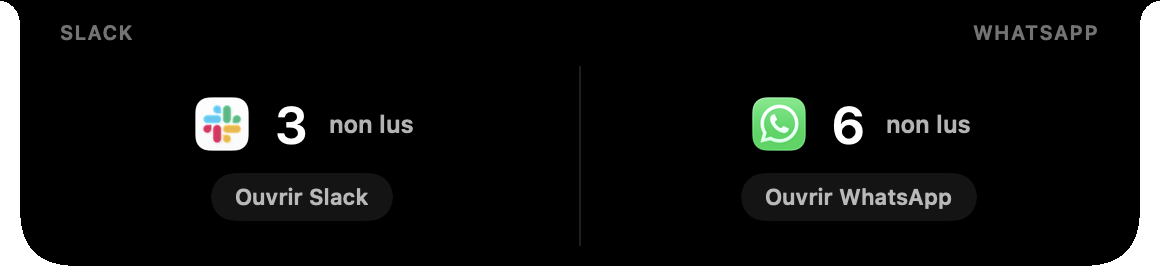
The notch shows the app and its unread count for a few seconds, then goes back to what it was showing.
 Hollow
A message arrives on Slack or WhatsApp while you work. The notch shows the app and its unread count for a few seconds, then goes back to black. No banner over your work, no content on screen.
7-day free trial, everything unlocked. No credit card.


Hollow reads the badge on the Dock icon of Slack and WhatsApp, as you would at a glance.
The notch shows the app and its unread count for a few seconds, then goes back to what it was showing.
Hollow reads the number on the Dock icon and nothing else: no message, no sender, no channel. Nothing leaves your Mac.
When a Focus mode turns on or off, the notch says so, with its name and symbol.
Open the notch to see the unread count of each app, and open it in one click. In Duo mode, Slack and WhatsApp share the notch, or sit next to your music, your calendar or your AI agents.
No. Hollow only reads the badge on the Dock icon of Slack and WhatsApp: the number of unread messages, never their content.
The Slack and WhatsApp apps for Mac. You turn each one on or off in Hollow’s settings.
Accessibility, to read the Dock badges. Hollow uses the same permission for the volume and brightness keys.
No. Your notifications work as before: Hollow adds the unread count to the notch without touching them.
Yes. Slack and WhatsApp are part of Hollow, €9.90 once. The 7-day trial includes everything.
New messages,
without the noise.
7-day free trial, everything unlocked. No credit card.